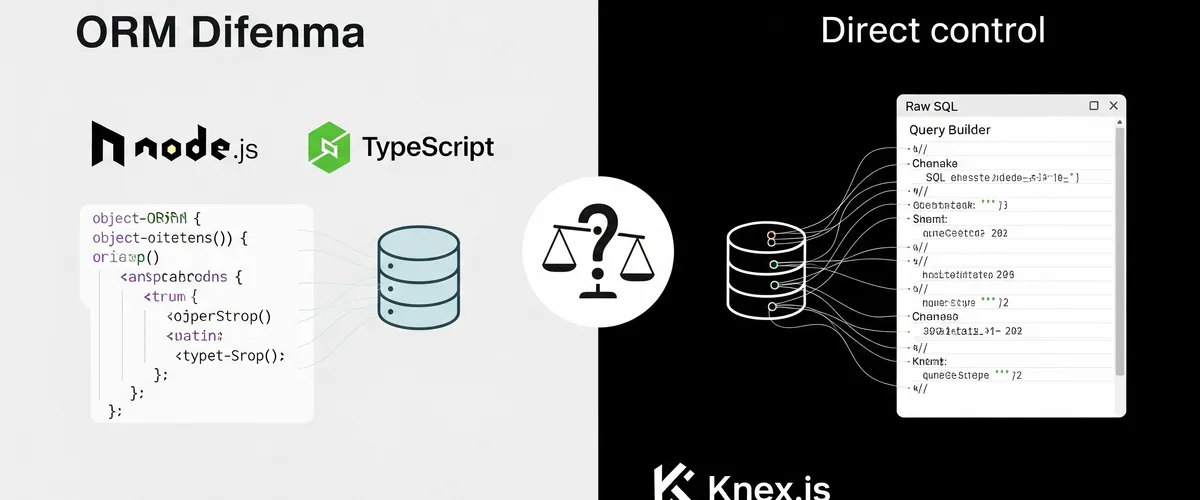
Introduction
Some decisions shape a project more than others. One that keeps coming back is whether to use an Object-Relational Mapping (ORM) tool for database interactions. Should you skip an ORM entirely? Or should you take the convenience it offers when working with Node.js and TypeScript, particularly alongside Express? This article works through the pros and cons of using an ORM and the situations where an alternative is the better call.
A quick look at ORM
Before getting into whether or not to use an ORM, here is what an ORM is and what it does. An Object-Relational Mapping tool is a software framework that sits between an application and a relational database. It hides the details of database interactions, so developers can work with database entities as if they were ordinary objects in their chosen programming language.
The advantages of ORM
An ORM has several real advantages that make it an attractive choice for developers:
-
Database complexity abstraction: An ORM’s main virtue is that it shields developers from SQL and from the quirks of database-specific operations. That abstraction earns its keep on complex queries.
-
Language integration: An ORM integrates with the programming language you are using. This lets developers manipulate database records using native language constructs, resulting in code that’s both more maintainable and more readable.
-
Cross-database compatibility: Many ORM libraries support several database systems well, which makes moving from one database to another relatively painless. That flexibility matters on a project whose shape is still changing.
-
Faster development: An ORM saves you writing boilerplate for routine database operations such as Create, Read, Update, and Delete (CRUD).
Those advantages are real. Now for the other side of the ledger.
The disadvantages of ORM
ORM is a useful tool, but it comes with tradeoffs. Here are the principal disadvantages that warrant careful consideration:
1. Performance overhead
An ORM always adds an abstraction layer between your application and the database. That layer can help readability and maintainability, but it usually costs you performance. The SQL an ORM generates is not always as well optimized as SQL you write by hand, and the gap shows up on complex queries and under high throughput.
2. The learning curve
Adopting an ORM means learning it. Developers have to get familiar with the details of the ORM’s Application Programming Interface (API), and that takes real time. On top of that, once you start tuning performance you have to understand how the ORM turns high-level operations into SQL.
3. Limited control
An ORM works by abstracting database operations, which means giving up some control over the SQL it generates. When you need fine-grained control over queries to tune performance, the ORM’s structure can get in the way.
4. Code bloat
An ORM cuts boilerplate in the common cases, and then adds it back in the harder ones. Getting fine-grained control over database interactions usually means writing custom code inside the ORM’s framework, which tends to be verbose and awkward to maintain.
Do you actually need an ORM?
So is an ORM something you have to have? The honest answer is that it depends.
When to reach for an ORM
-
Rapid prototyping: If the point of the project is to get a minimum viable product (MVP) in front of people quickly, an ORM helps. It keeps you out of SQL so you can spend the time on your application logic instead.
-
Team expertise: If your team knows the programming language better than it knows SQL, an ORM is the sensible choice. Your team works in the language it is fluent in, and the code comes out better for it.
-
Cross-database compatibility: If your project has to support several database systems, an ORM is the pragmatic choice. It papers over the differences between databases, which makes moving from one to another relatively easy.
When to be careful with an ORM
-
Strict performance demands: When your application has tight performance requirements, especially with complex queries or high transaction rates, raw SQL or a database-specific library is usually the wiser choice. It gives you the room to tune each query.
-
Database-specific features: Projects that lean on database-specific features, or on advanced SQL operations the ORM cannot express, tend to do better with native SQL.
-
Query control: If your project needs granular control over the SQL your application runs, an ORM puts limits on you that you did not ask for. Writing the SQL yourself is the better move.
Practical alternatives to ORM
Where an ORM does not fit your project, there are two alternatives worth knowing.
1. Query builders
Query builders such as Knex.js sit in the middle. They let you build SQL queries programmatically in JavaScript, somewhere between raw SQL and the abstraction an ORM gives you. They pay off when you want control over the query and still want the code to read well.
Consider a TypeScript and PostgreSQL example using Knex.js:
import * as Knex from 'knex';
const knex = Knex({ client: 'pg', connection: { host: 'your-database-host', user: 'your-username', password: 'your-password', database: 'your-database-name', },});
async function getUsers() { return await knex.select('*').from('users');}
async function addUser(user: any) { return await knex('users').insert(user);}
async function getComplexData( country: string, orderDate: Date, category: string,) { // Define Common Table Expressions (CTEs) const usersFromCountry = knex('users').where('country', country); const ordersFromLast30Days = knex('orders').where( 'order_date', '>=', orderDate, ); const booksOrderItems = knex('order_items') .join('products', 'order_items.product_id', '=', 'products.id') .where('products.category', category);
// Build the main query using CTEs const query = knex .with('users_from_country', usersFromCountry) .with('orders_from_last_30_days', ordersFromLast30Days) .with('books_order_items', booksOrderItems) .select( 'users_from_country.name', 'orders_from_last_30_days.order_date', 'books_order_items.product_name', ) .from('users_from_country') .leftJoin( 'orders_from_last_30_days', 'users_from_country.id', 'orders_from_last_30_days.user_id', ) .leftJoin( 'books_order_items', 'orders_from_last_30_days.id', 'books_order_items.order_id', );
return query;}2. Raw SQL
When performance is the priority and you want absolute control over your queries, raw SQL is the better choice. It does ask more care of you, because SQL injection is your problem now, and in exchange you get control and efficiency nothing else matches.
Here’s an example of TypeScript code executing a raw SQL query with the pg library for PostgreSQL:
import {Pool} from 'pg';
const pool = new Pool({ user: 'your-username', host: 'your-database-host', database: 'your-database-name', password: 'your-password', port: 5432, // PostgreSQL default port});
async function getUsers() { const client = await pool.connect(); try { const result = await client.query('SELECT * FROM users'); return result.rows; } finally { client.release(); }}
async function addUser(user: any) { const client = await pool.connect(); try { const query = { text: 'INSERT INTO users(name, email) VALUES($1, $2)', values: [user.name, user.email], }; await client.query(query); } finally { client.release(); }}
async function getComplexData( country: string, orderDate: Date, category: string,) { const client = await pool.connect();
try { // Define the SQL query with placeholders for parameters const sqlQuery = ` WITH users_from_country AS ( SELECT * FROM users WHERE country = $1 ), orders_from_last_30_days AS ( SELECT * FROM orders WHERE order_date >= $2 ), books_order_items AS ( SELECT * FROM order_items JOIN products ON order_items.product_id = products.id WHERE products.category = $3 )
SELECT users_from_country.name, orders_from_last_30_days.order_date, books_order_items.product_name FROM users_from_country LEFT JOIN orders_from_last_30_days ON users_from_country.id = orders_from_last_30_days.user_id LEFT JOIN books_order_items ON orders_from_last_30_days.id = books_order_items.order_id `;
// Execute the SQL query with parameters const result = await client.query(sqlQuery, [country, orderDate, category]); return result.rows; } finally { client.release(); }}Conclusion
When you are deciding whether to adopt an ORM with Node.js, TypeScript, and Express, it is worth considering the simpler path first. Before reaching for an ORM, weigh these three points:
-
Prioritize performance: For projects with demanding performance requirements, especially with complex queries or high transaction volumes, raw SQL or a database-specific library gets you a better result.
-
Use the database expertise you have: If your team knows SQL and the details of the chosen database well, using that knowledge directly gets you better-tuned database interactions.
-
Keep control: When granular control over SQL queries is a requirement, an ORM limits your flexibility. Writing the SQL yourself lets you tune each operation.
Choosing not to use an ORM is a legitimate strategic decision, particularly when your goals line up with performance, database expertise, and query control. Faced with the ORM dilemma, the more direct route often gets you where you need to be.
References
- “What is an ORM? How ORMs work and why you should use them” - Prisma, https://www.prisma.io/dataguide/types/relational/what-is-an-orm
- “ORM vs. SQL: How to choose the right one for your project” - LogRocket Blog, https://blog.logrocket.com/orm-vs-sql-how-to-choose-the-right-one-for-your-project/
- Knex.js - SQL query builder for JavaScript, https://knexjs.org/
- node-postgres (pg) - Non-blocking PostgreSQL client for Node.js, https://node-postgres.com/
- “The Vietnam of Computer Science” by Ted Neward (Discusses the ORM problem.), http://blogs.tedneward.com/post/the-vietnam-of-computer-science/
- Sequelize ORM Documentation (Popular Node.js ORM.), https://sequelize.org/
- TypeORM Documentation (Popular TypeScript ORM.), https://typeorm.io/
- “When to Use an ORM (and When Not To)” - SitePoint, https://www.sitepoint.com/when-to-use-an-orm/
- “SQL vs. NoSQL: What’s the difference?” - IBM. (While not directly ORM, understanding database types helps in choosing data access strategies.), https://www.ibm.com/cloud/blog/sql-vs-nosql
- “Understanding the Node.js Event Loop” - Node.js Documentation. (Relevant for understanding performance implications of database calls.), https://nodejs.org/en/docs/guides/event-loop-timers-and-nexttick/
- “Pros and Cons of Using an ORM” - GeeksforGeeks, https://www.geeksforgeeks.org/pros-and-cons-of-using-an-orm/