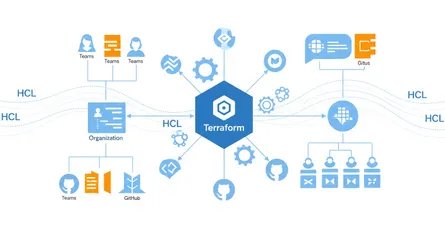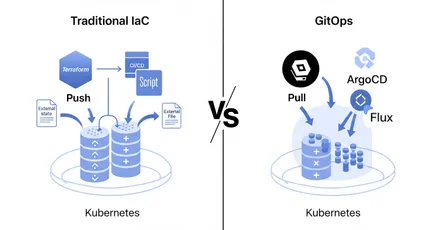
In fast-paced DevOps environments, Infrastructure as Code (IaC) has become a cornerstone for managing and scaling infrastructure efficiently. Terraform, a leading open-source IaC tool, is widely adopted for its ability to automate infrastructure deployment across multiple cloud platforms. One question comes up again and again: what’s the best way to deploy Terraform configurations using CI/CD pipelines?
This post covers how Terraform fits into CI/CD workflows, how to deploy infrastructure using CI/CD pipelines, and the questions that come up when you integrate Terraform into your DevOps practices.
Is Terraform good for CI/CD?
Yes. Terraform works well for CI/CD pipelines because it lets teams automate the entire infrastructure deployment lifecycle. It works with most CI/CD tools and supports reusable infrastructure modules.
The primary benefit of using Terraform in CI/CD pipelines is automation. Whether you’re managing a multi-cloud environment or a single platform, Terraform keeps your infrastructure consistent, repeatable, and version-controlled.
Benefits of Terraform in CI/CD
- Consistency: Every infrastructure change is recorded and can be repeated with precision.
- Scalability: Terraform supports large-scale deployments, which suits cloud-native architectures.
- Flexibility: It works across different cloud platforms (AWS, Azure, GCP), which means you don’t have to depend on provider-specific tools.
- Collaboration: By storing your infrastructure code in Git repositories, teams can collaborate, review, and approve infrastructure changes through pull requests.
FAQ: Why is Terraform particularly well-suited for CI/CD?
Terraform’s declarative syntax lets you define your infrastructure much like application code. Once it’s wired into CI/CD pipelines, you can deploy changes, enforce policy checks, and verify compliance without touching anything by hand.
How do you deploy your infrastructure in CI/CD using Terraform?
Terraform’s design philosophy makes it relatively simple to deploy infrastructure using any CI/CD system. Here’s the general approach:
Step 1: write your Terraform code
Begin by writing the Terraform code that describes the infrastructure. Whether it’s provisioning servers, databases, or networking components, you define the desired state of your environment.
Step 2: store your code in version control
Next, store your Terraform configurations in a version control system like GitHub or GitLab. This enables collaboration and means changes to the infrastructure get reviewed and approved through pull requests.
Step 3: automate the workflow with a CI/CD tool
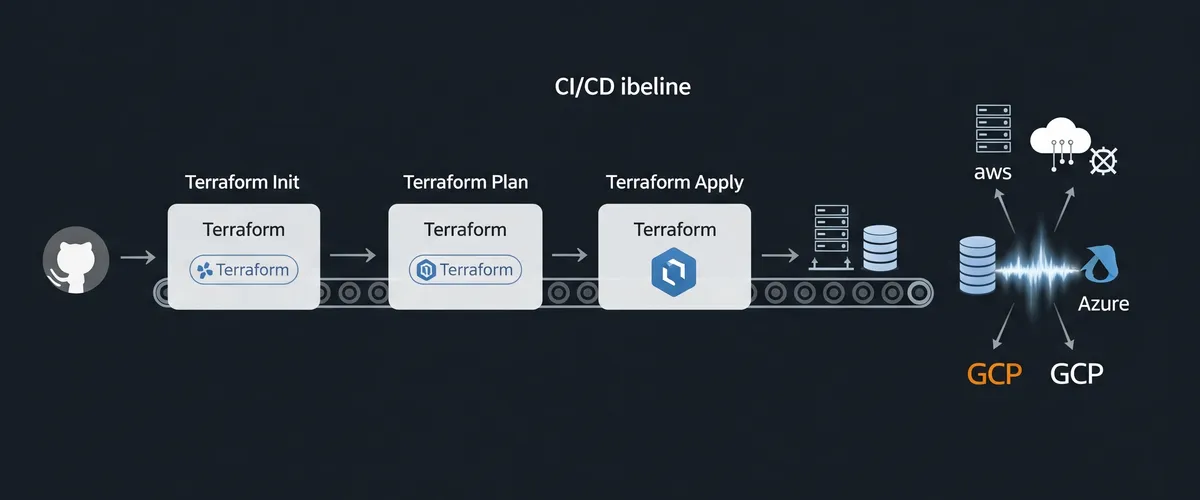
Integrate a CI/CD tool such as Jenkins, GitLab CI, CircleCI, or GitHub Actions to automate the Terraform workflow. The CI/CD tool will perform the following tasks:
- Terraform Init: Initialize the Terraform environment.
- Terraform Plan: Show what changes will be made to the infrastructure.
- Terraform Apply: Apply the changes and update the infrastructure.
FAQ: How do CI/CD tools manage state in Terraform?
Terraform uses a state file to keep track of the current infrastructure. Terraform needs this state to know what actually exists versus what’s defined in code. Store the state file securely (e.g., using an S3 bucket or Terraform Cloud) so that CI/CD pipelines have access to the latest state during deployments.
Where does Terraform fit in DevOps?
Terraform is a critical tool in the DevOps toolkit because it bridges the gap between infrastructure and development pipelines. It allows developers to treat infrastructure as code, enabling them to provision and manage infrastructure through automated, repeatable processes.
Benefits in a DevOps workflow
- Continuous delivery: Terraform works hand-in-hand with CI/CD pipelines, allowing for continuous delivery of infrastructure updates.
- Version control: Infrastructure changes are tracked in the same version control system as application code, which makes rolling back to previous versions straightforward.
- Security and compliance: Terraform lets you enforce security policies through automation, so your infrastructure meets compliance requirements.
FAQ: How does Terraform improve collaboration in DevOps?
By integrating with CI/CD pipelines, Terraform enables teams to collaborate more effectively. Developers, operations, and security teams can review changes, apply policies, and confirm that infrastructure updates are safe and aligned with business needs, all without manual intervention.
How do you create a CI/CD pipeline in GitHub Actions for Terraform?
One of the easiest ways to deploy Terraform using CI/CD is with GitHub Actions. GitHub Actions is a flexible CI/CD tool that allows you to automate workflows directly in your GitHub repository.
Here’s a step-by-step guide to creating a CI/CD pipeline in GitHub Actions for Terraform:
Step 1: define a workflow
In your GitHub repository, create a .github/workflows/main.yml file. This file defines the CI/CD pipeline.
name: Terraform Deployment
on: push: branches: - main
jobs: terraform: runs-on: ubuntu-latest
steps: - name: Checkout Code uses: actions/checkout@v2
- name: Set up Terraform uses: hashicorp/setup-terraform@v1 with: terraform_version: 1.0.0
- name: Terraform Init run: terraform init
- name: Terraform Plan run: terraform plan
- name: Terraform Apply run: terraform apply -auto-approveStep 2: add security and secrets
In GitHub Actions, you’ll need to store sensitive data (like cloud provider credentials) securely using GitHub Secrets. That way your pipeline can authenticate with the cloud provider without exposing credentials in the code.
Step 3: trigger the pipeline
The pipeline is triggered whenever changes are pushed to the main branch, automating the entire Terraform workflow from initialization to applying changes.
FAQ: Why use GitHub Actions for Terraform?
GitHub Actions is highly customizable and integrates natively with GitHub repositories, making it ideal for teams already using GitHub for source control. Its flexibility lets you build, test, and deploy infrastructure with Terraform in one automated flow.
Best practices for Terraform in CI/CD pipelines
To get the most out of using Terraform in CI/CD pipelines, here are a few best practices to follow:
1. Use remote state storage
Store your Terraform state file in a remote backend (like an S3 bucket, Azure Blob, or Terraform Cloud) so CI/CD pipelines can always reach the latest state. Remote state storage also prevents issues from multiple users or pipelines modifying the infrastructure simultaneously.
2. Perform security and compliance checks
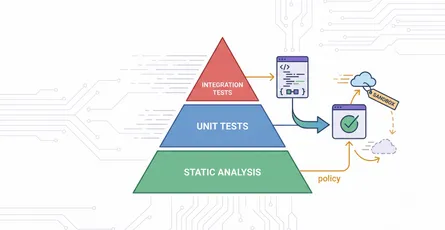
Use tools like Checkov or TFLint to scan your Terraform code for security vulnerabilities and best practices before applying it in production.
3. Test infrastructure changes in staging
Before applying any changes to production, deploy the infrastructure in a staging environment. That catches problems early in the development lifecycle.
4. Automate rollbacks
Always include a rollback strategy in your CI/CD pipeline. If a deployment fails, your pipeline should automatically revert the infrastructure to the previous stable state.
Conclusion
Incorporating Terraform into your CI/CD pipeline is a solid choice for teams automating infrastructure deployments at scale. Whether you’re using GitHub Actions, Jenkins, or any other CI/CD platform, Terraform’s flexibility and cross-cloud support make it a strong fit for your DevOps stack. Follow the practices above and keep security and compliance checks in the pipeline, and you can deploy infrastructure changes faster and more reliably.
References
- Terraform Documentation - HashiCorp, https://www.terraform.io/docs
- GitHub Actions Documentation, https://docs.github.com/en/actions
- Terraform Best Practices - HashiCorp Learn, https://learn.hashicorp.com/collections/terraform/best-practices
- Using Terraform with CI/CD - HashiCorp Learn, https://learn.hashicorp.com/tutorials/terraform/cicd-pipeline
- Infrastructure as Code - AWS Whitepapers, https://aws.amazon.com/whitepapers/?whitepapers-main.sort-by=item.additionalFields.sortDate&whitepapers-main.sort-order=desc&awsf.whitepapers-content-type=*all&awsf.whitepapers-global-methodology=*all&awsf.whitepapers-tech-category=tech-categories%23devops (Search for “Infrastructure as Code”)
- Terraform State Management - HashiCorp, https://www.terraform.io/docs/language/state/index.html
- Checkov - Bridgecrew by Prisma Cloud, https://www.checkov.io/
- TFLint - Terraform Linter, https://github.com/terraform-linters/tflint